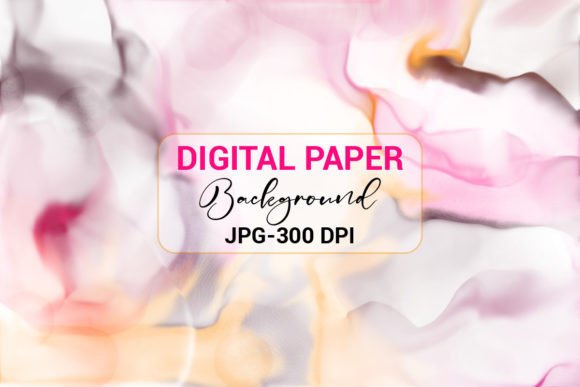
Maximizing Your Brand Aesthetic with Luxury Pink and Gold Digital Paper
In the crowded digital marketplace, visual identity is often the first point of contact between a creator and their audience. Luxury Pink and Gold Digital Paper has emerged as a staple for designers seeking to convey elegance, femininity, and high-end quality without the overhead of physical materials. Whether you are designing book covers, web backgrounds, social media posts, stickers, or mobile covers, these assets offer a versatile foundation for professional-grade projects. However, simply downloading a file is not enough to guarantee success. Many creators overlook critical technical details that can compromise the final output, leading to pixelated prints or sluggish website performance.
Understanding the nuances of high-resolution digital assets is essential for anyone looking to elevate their design work. This guide explores common pitfalls associated with using luxury digital backgrounds and provides practical advice on how to leverage them effectively across various platforms.
The Misconception of Resolution and Print Quality
One of the most frequent mistakes beginners make is assuming that any image labeled "high quality" is suitable for print. When working with Luxury Pink and Gold Digital Paper, resolution is non-negotiable. The standard for professional printing is 300 DPI (dots per inch). If you attempt to print a design created with a 72 DPI web image, the result will be blurry and unprofessional.
This specific collection includes a 300 DPI JPG ZIP file, which is crucial for maintaining sharpness in physical products like book covers or KDP interiors. Before starting any project, always verify the DPI settings in your software. For instance, if you are using MS Word or PowerPoint for a simple flyer, ensure the image retains its original dimensions when inserted. Resizing a small image to fit a large canvas stretches the pixels, destroying the crisp gold foil effect that defines the luxury aesthetic.
Better Approach: Always start with the highest resolution file available. If you are designing for print, set your document size to the final output dimensions before importing the background. This ensures that the 300 DPI rating remains effective throughout the design process.
Overlooking File Compatibility and Workflow Efficiency
Another common oversight involves file format compatibility. While PNGs are popular for their transparency, this collection offers high-quality JPEG files. Some creators mistakenly believe JPEGs are inferior because they do not support transparency. However, for full-coverage backgrounds, JPEGs are often more efficient and universally compatible.
You can use these files seamlessly in Canva, MS Word, MS PowerPoint, and other similar applications. The mistake lies in trying to force complex editing workflows onto simple background tasks. For example, attempting to remove a white background from a JPEG in a basic editor wastes time when the intent is to use it as a full-page backdrop. Understanding that this asset is designed for layering behind text or other elements helps streamline your workflow.
Practical Tip: If you need to place text over the gold accents, consider adding a semi-transparent shape layer between the text and the background. This improves readability without altering the original digital paper file, preserving its integrity for future use.
Neglecting Color Consistency Across Platforms
Digital colors behave differently on screens than they do in print. A vibrant pink on your monitor may appear muted when printed on matte paper. This discrepancy often leads to dissatisfaction among entrepreneurs who sell physical goods like stickers or mobile covers. The metallic gold effect, in particular, relies on contrast and lighting in digital renders, which does not translate directly to ink.
To avoid this, always order a proof copy if you are producing physical items. For digital-only uses, such as web backgrounds or social media posts, calibrate your monitor or check your designs on multiple devices. What looks luxurious on a desktop might appear washed out on a mobile screen. Testing your Luxury Pink and Gold Digital Paper across different viewing environments ensures consistent brand presentation.
Underutilizing Versatility in Design Applications
Many users restrict these backgrounds to simple static images, missing out on their potential for dynamic content. These textures are ideal for creating cohesive brand kits. For instance, you can use the same background for your Instagram story highlights, YouTube thumbnails, and email newsletter headers. This repetition builds brand recognition.
However, a common error is cluttering the design. Because the background features intricate gold details, adding too many foreground elements can create visual noise. Keep your layout clean. Use the background to frame your content rather than compete with it. For educators and bloggers, this means using ample white space or solid color blocks for text areas to ensure legibility.
- Book Covers: Use the texture as a subtle overlay behind bold typography.
- Social Media Posts: Pair with minimalist icons to let the gold accents shine.
- Stickers: Ensure high contrast between the sticker cut line and the background pattern.
- Web Backgrounds: Compress the file appropriately for web use to maintain site speed without sacrificing visual appeal.
Checking Licensing and Usage Rights
Before integrating any digital asset into commercial projects, it is vital to understand the licensing terms. While this download is intended for creative use, always verify whether it allows for unlimited commercial sales or if there are restrictions on print runs. Misunderstanding these terms can lead to legal issues or account suspensions on platforms like Amazon KDP or Etsy.
Additionally, consider the longevity of your design trends. Pink and gold are timeless, but specific shades can date quickly. Choose variations within the collection that feel classic rather than overly trendy. This ensures your materials remain relevant longer, providing better return on investment for your time and effort.
Making the Right Choice for Your Project
When evaluating whether Luxury Pink and Gold Digital Paper is right for your next project, ask yourself three questions: Does it align with my brand voice? Is the resolution sufficient for my intended medium? Have I tested the legibility of my content against this background?
By addressing these questions early, you avoid the frustration of redesigning work later. Remember, tools like Canva and MS PowerPoint are powerful, but they rely on the quality of the assets you import. Starting with a premium 300 DPI JPEG sets a strong foundation for any creative endeavor.
Thanks for downloading my design. Please visit my profile for more Background designs, KDP interiors, T-shirts, Brushes, and illustrations. By approaching your design process with attention to detail and technical awareness, you transform simple digital papers into powerful branding tools that resonate with your audience.