Streamlining Design with Lime Sunshine Watercolor Photoshop Style
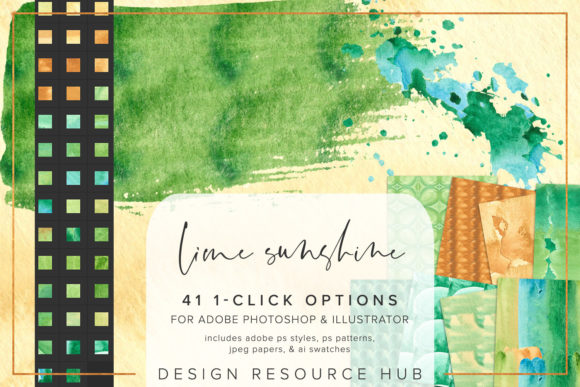
In the fast-paced world of digital design, efficiency often competes with creativity. Professionals and hobbyists alike are constantly searching for tools that reduce repetitive tasks without sacrificing aesthetic quality. The Lime Sunshine Watercolor Photoshop Style emerges as a practical solution for designers seeking to integrate organic, hand-painted textures into their digital workflows seamlessly. This resource is not merely a collection of images; it is a curated set of Adobe Photoshop and Illustrator assets designed to apply complex watercolor effects with a single click.
For those unfamiliar with the technical side of digital texturing, understanding the value of this tool requires looking beyond the surface appeal. It represents a shift from manual, time-consuming layering techniques to an automated, consistent application method. By evaluating its components, installation process, and real-world applicability, we can determine whether this asset pack fits into your specific creative toolkit.
Understanding the Core Components
The Lime Sunshine Watercolor Photoshop Style package is structured to support cross-application compatibility, which is a significant advantage for modern designers who do not work in isolation within a single software environment. The inclusion of multiple file formats ensures that the utility of the product extends beyond simple image editing.
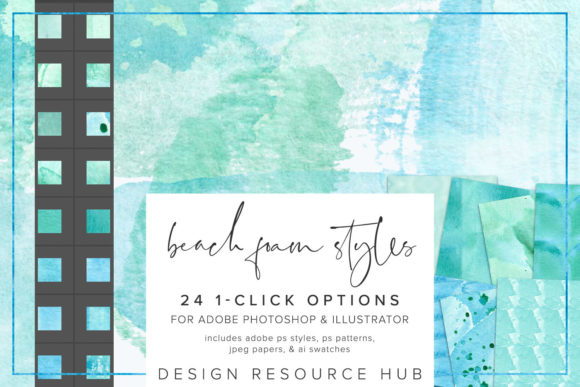
- Adobe Photoshop .pat file: This pattern file allows for the creation of seamless backgrounds and fills. Unlike static images, patterns can be scaled and adjusted dynamically within the software, providing flexibility for various canvas sizes.
- Adobe Photoshop .asl file: The styles file is the centerpiece of this package. It contains pre-configured layer effects that can be applied to any selected layer, instantly transforming flat colors into textured, watercolor-inspired visuals.
- Adobe Illustrator .ai swatch file: For vector-based projects, the inclusion of Illustrator swatches ensures that the watercolor aesthetic can be maintained in scalable graphics, such as logos or large-format prints.
- JPEG paper files: Sized at 10 x 10 inches, these high-resolution texture maps serve as foundational layers for composite designs, offering a realistic paper grain that enhances the authenticity of the watercolor effect.
This comprehensive approach addresses a common pain point: the disconnect between raster and vector workflows. By providing assets for both Photoshop and Illustrator, the creators acknowledge that professional projects often require movement between these platforms.
Installation and Usability
A critical factor in the adoption of any digital asset is the ease of integration. Complex installation procedures can deter users, particularly those who are not technically inclined. The Lime Sunshine Watercolor Photoshop Style prioritizes simplicity, describing its single-click styles as "completely seamless." However, proper installation is key to unlocking this ease of use.
To install the .asl file, users navigate to the Styles panel in Photoshop, select "Import Styles," and load the file. Similarly, the .pat file is loaded via the Patterns panel using the "Import Patterns" function. For Illustrator users, the .ai file is accessed through the Swatches panel by opening the library from the "Other Library" menu. While these steps are standard for Adobe products, they require a basic level of familiarity with the software interface.
Once installed, the true value becomes apparent. The ability to change the scale of patterning for different applications means that a single style can be adapted for a small business card or a large banner without losing resolution or visual integrity. This scalability is essential for freelancers and small business owners who must repurpose content across various marketing channels.
Practical Applications in Professional Workflows
The versatility of the Lime Sunshine Watercolor Photoshop Style makes it suitable for a wide range of design scenarios. Its primary strength lies in its ability to add warmth and organic character to otherwise rigid digital elements. Here are several contexts where this tool proves particularly effective:
- Typography and Lettering: Applying watercolor styles to fonts can soften the impact of bold headlines, making them more approachable. This is particularly useful for wedding invitations, boutique branding, and lifestyle blogs where a gentle, human touch is desired.
- Shape and Border Accents: Designers often struggle to create unique frames or dividers. Using the included patterns and styles, one can quickly generate textured borders that complement the overall theme of a layout without requiring custom illustration skills.
- Background Textures: The JPEG paper files provide a subtle, tactile foundation for web banners, social media posts, and print materials. When combined with the Photoshop styles, these backgrounds gain depth and visual interest.
For marketers and content creators, speed is often as important as quality. The one-click nature of these styles allows for rapid prototyping. A designer can test multiple color variations and texture combinations in minutes, rather than hours. This efficiency supports an iterative design process, enabling quicker feedback loops with clients.
Evaluating Quality and Consistency
When assessing digital assets, consistency is paramount. Poorly constructed styles may produce unpredictable results depending on the underlying color or shape. The Lime Sunshine Watercolor Photoshop Style appears to be engineered for reliability. The styles are designed to work on any design element, suggesting that the underlying blend modes and opacity settings have been carefully calibrated.
However, users should note that "one-click" does not mean "zero adjustment." To achieve optimal results, it is often necessary to combine the styles with other tools. For instance, pairing the watercolor styles with specific brushes can enhance the hand-painted illusion. The documentation suggests combining styles with brushes, which is a prudent recommendation. Relying solely on automated styles can sometimes lead to a generic look; adding manual touches ensures uniqueness.
The quality of the JPEG paper files also contributes to the overall effectiveness. At 10 x 10 inches, they offer sufficient resolution for most standard print and web applications. For larger format printing, users may need to tile the patterns or use higher-resolution sources, but for the majority of small business and freelance projects, the provided resolution is adequate.
Who Benefits Most from This Tool?
The Lime Sunshine Watercolor Photoshop Style is not a universal solution for every design challenge. It is specifically tailored for those who value an organic, artistic aesthetic. The following groups are likely to find the most value in this asset pack:
- Freelance Graphic Designers: Those who handle diverse client requests will appreciate the ability to quickly switch between clean, modern looks and textured, artistic styles.
- Small Business Owners: Entrepreneurs managing their own branding can use these tools to create professional-looking marketing materials without hiring a dedicated designer for every project.
- Educators and Publishers: Creating engaging educational materials often requires visually appealing elements that capture attention. Watercolor textures can make worksheets and presentations feel less sterile and more inviting.
- Serious Hobbyists: Individuals interested in digital scrapbooking or personal art projects will find the ease of use empowering, allowing them to focus on composition rather than technical execution.
Conversely, designers working in corporate, tech, or industrial sectors may find the watercolor aesthetic less relevant to their brand guidelines. It is crucial to align the tool with the intended audience and brand voice.
Final Considerations for Potential Users
Before integrating the Lime Sunshine Watercolor Photoshop Style into your workflow, consider your current technical setup and design goals. If you already possess a robust library of textures and actions, evaluate whether this pack offers something distinct. The combination of Photoshop styles, patterns, and Illustrator swatches provides a cohesive ecosystem that standalone textures often lack.
Furthermore, remember that tools are only as effective as the skill with which they are used. While the Lime Sunshine Watercolor Photoshop Style simplifies the application of texture, a strong understanding of color theory and composition remains essential. Use these assets as a foundation, not a crutch. Experiment with layer opacities, blending modes, and complementary brushes to create truly bespoke designs.
In conclusion, this asset pack represents a valuable addition for designers seeking to streamline the creation of watercolor-inspired graphics. Its cross-platform compatibility, ease of installation, and flexible application methods make it a practical choice for a variety of creative professionals. By reducing the technical barrier to achieving complex textural effects, it allows creators to focus more on storytelling and visual impact, ultimately enhancing the quality and efficiency of their work.